AI-assisted design-to-code workflow

From wireframes and a browser prototype to a structured design system and Flutter implementation.

What the initial prototype and design system looked like

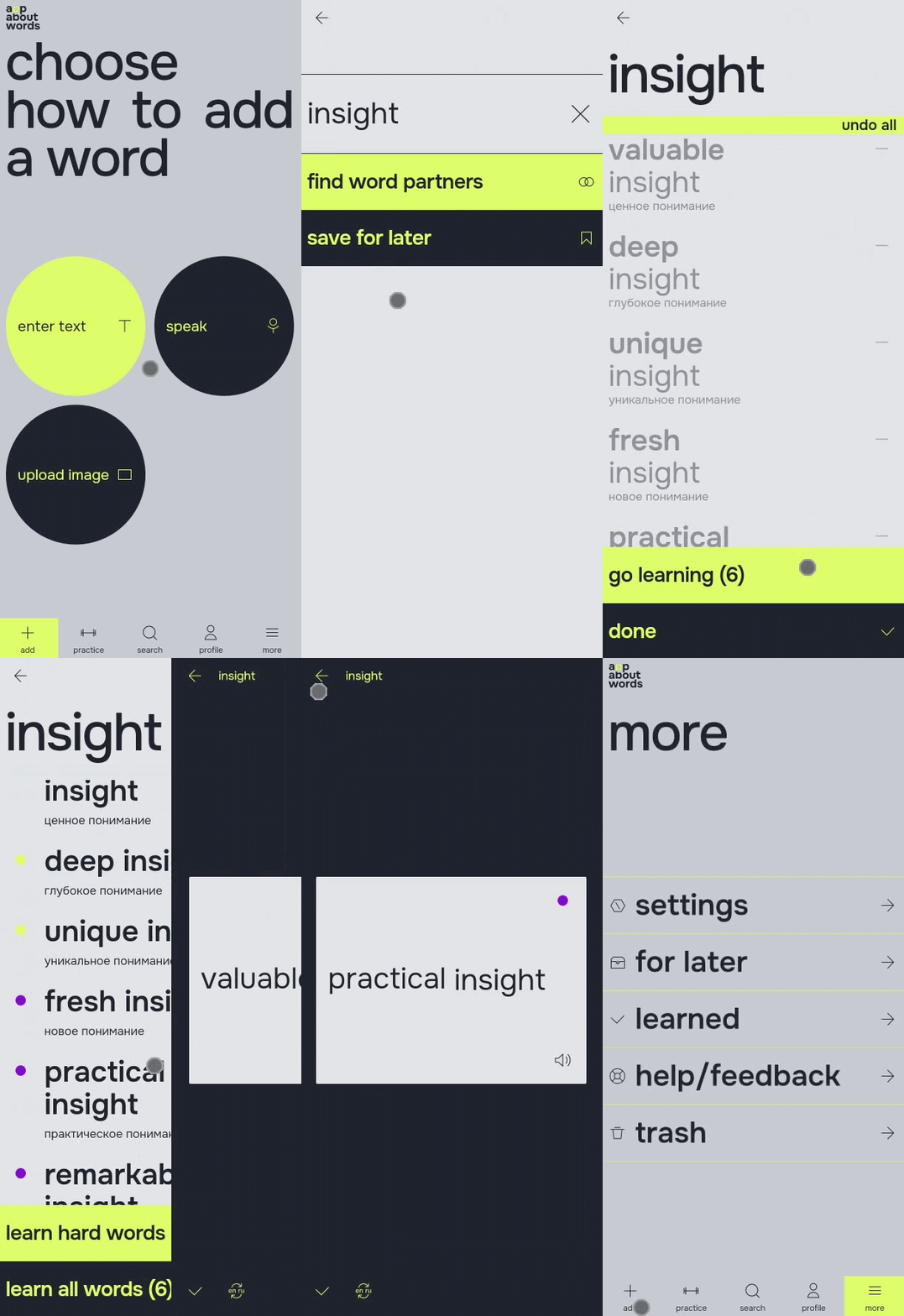
First, I created the main user flows and turned them into wireframes. Based on them, Claude Code built a quick browser prototype in HTML/CSS/JS, which I tested with three users. After that, I improved the UX.

Then Claude Code moved all the flows with structured screens back into Figma.

I created the visual style and applied it to the structured screens that Claude Code had moved into Figma.

After that, I started building a two-level token system with primitives and semantic tokens. I explained to Claude Code which token collections I needed and the principles for how they should be structured. Then I gave Claude Code separate tasks for creating components and defined the required states and properties for them.

If I could quickly fix the Claude Code result manually in Figma, I fixed it myself. If the change was larger, I gave the task back to Claude Code and then checked the result.

When the design system was ready, I asked Claude Code to apply it to the screens.
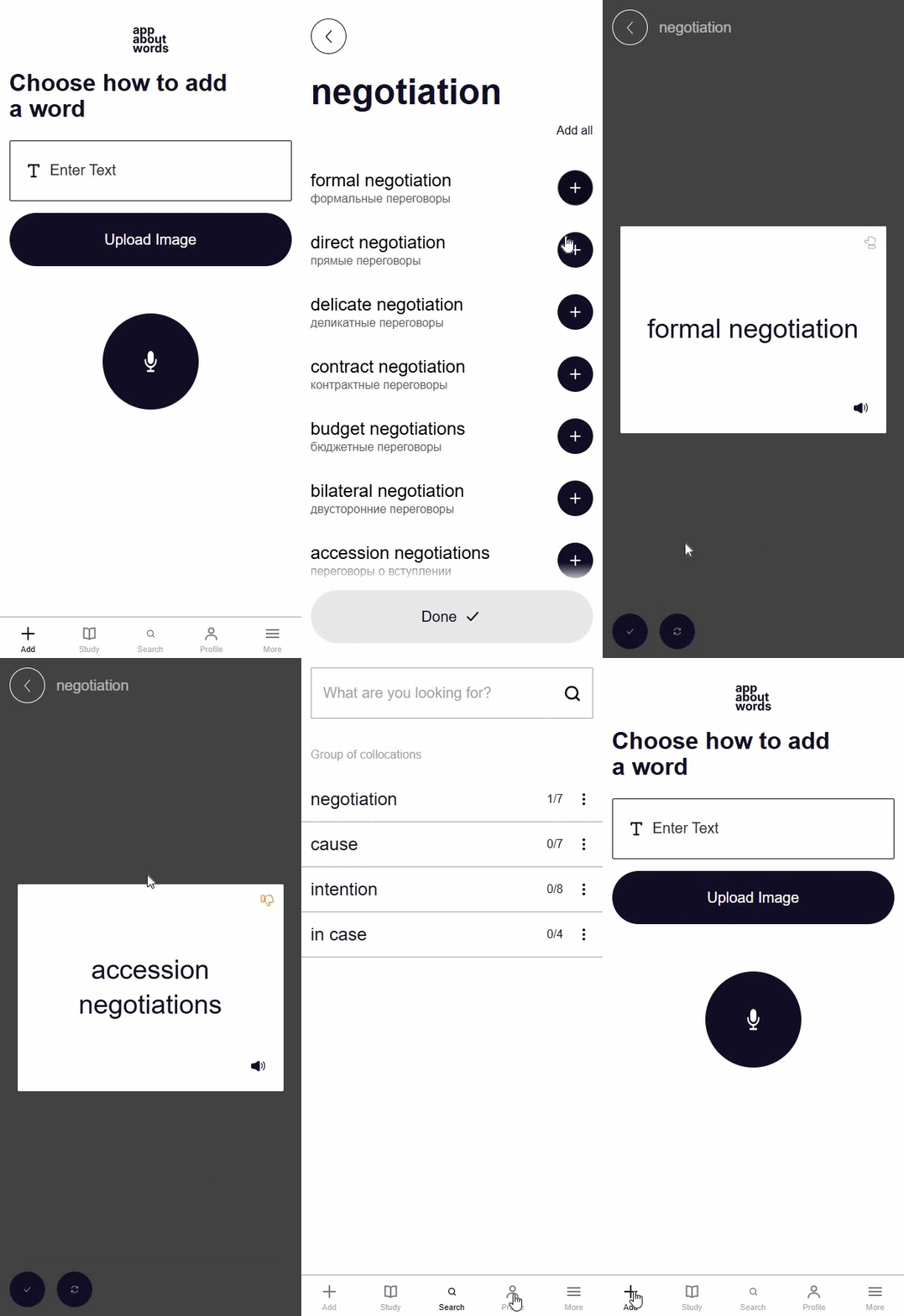
Add Word flow (text)
Study flow
Additional
Early browser prototype
Figma Variables
Components / design system
Final style

How I made the design system AI‑friendly

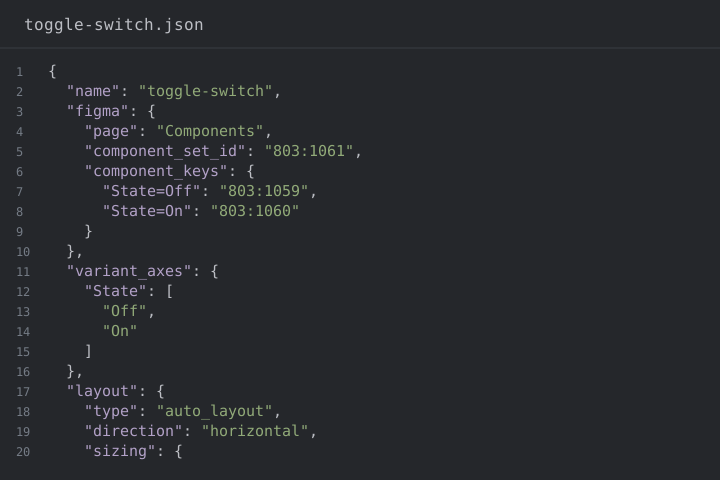
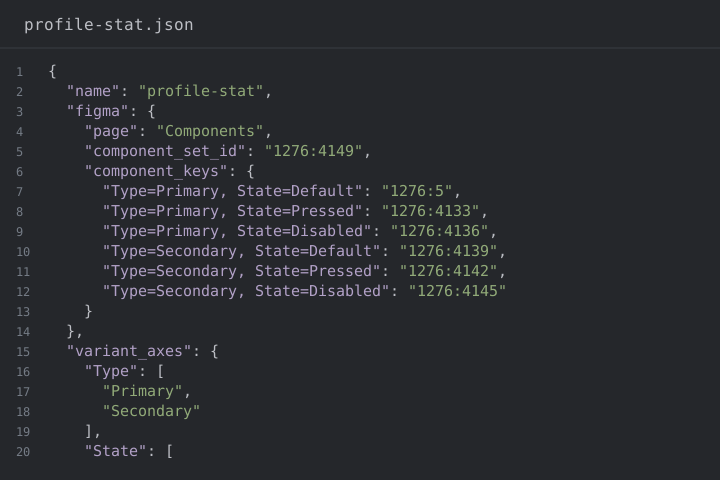
Following my instructions, Claude Code exported a JSON representation of the design system: sets of JSON files for tokens and components, where the JSON elements matched the design elements in Figma.

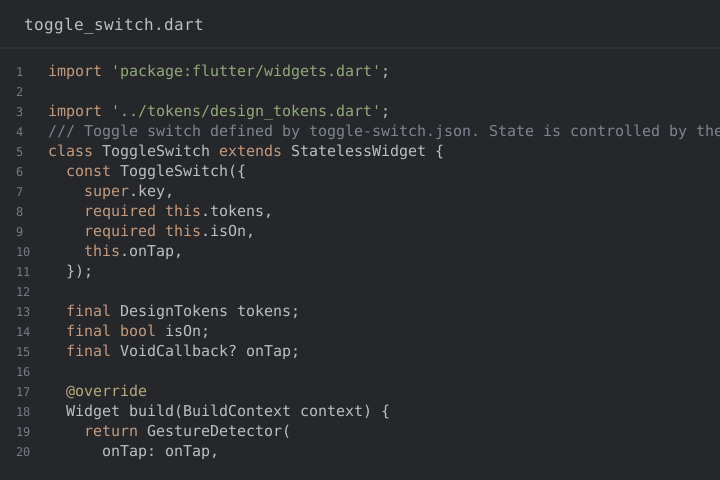
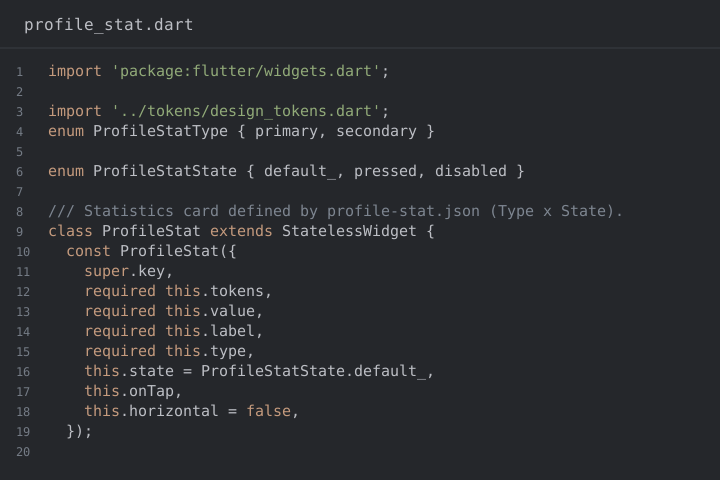
After the export, Claude Code performed code generation from a declarative design-system specification. In other words, it generated a UI kit for the Flutter application:

  • design tokens were converted into typed Dart token definitions;
  • component descriptions were converted into generated Flutter UI components, or widget classes.

Component structures were generated from JSON specifications, while design token values are loaded from JSON at runtime through DesignTokens.

toggle-switch.json code previewtoggle_switch.dart code preview
From declarative states to a Flutter component. Dimensions, color tokens, corner radius, and knob alignment defined in JSON are translated into a configurable toggle switch widget.
profile-stat.json code previewprofile_stat.dart code preview
From a variant matrix to a typed API. Two variant axes and six styling combinations defined in JSON are implemented in a single reusable Flutter component with shared design tokens and typography roles.

Which AI tools and workflows I used to automate the transition to production

The main tools were Figma MCP and Claude Code.

Workflow

  1. Figma → coded prototype

    I created the wireframes in Figma and passed them to Claude Code through MCP. Claude Code used them to build a browser prototype in HTML/CSS/JS.

  2. Prototype → back to Figma

    Claude Code moved the structured prototype screens back into Figma through MCP.

  3. Design system in Figma

    Claude Code helped build the design system inside Figma: tokens, text styles, components, and states, and applied it to the screens through MCP.

  4. Figma → Flutter

    Claude Code accessed the final screens and the design system through MCP, created structured JSON descriptions, and used them to build the Flutter frontend.

My personal contribution on both the design and engineering sides

Design

  • the product idea and research;
  • user flows and wireframes;
  • usability testing;
  • visual design, including seven reference screens that defined how the Bauhaus principles should be applied;
  • key animations and transitions;
  • the design-system structure, rules, and final decisions.

Engineering

  • AI-ready design-system preparation;
  • structured data transfer between Figma and Claude Code through MCP;
  • Flutter interface implementation with Claude Code;
  • review and refinement of Claude Code’s visual adaptation and motion rules based on my reference screens.

I did not write the Flutter code manually. Claude Code was the implementation layer, while I managed the process and made the decisions.

Responsive references
Animation

How much of the final production implementation was generated or automated, and what required manual work

Automated with AI

  • the browser prototype;
  • generating and refining the Flutter application;
  • two-way transfer of structured data between Figma and Claude Code through Figma MCP;
  • helping build and systematize the design system in Figma.

Done manually

  • checking the result;
  • comparing it with the design;
  • small fixes when it was faster to make them myself;
  • final approval or rejection of changes.

The main challenges I encountered and how I solved them

1. Claude Code did not always use the design system as the source of truth

After I provided the design system, I found that even though it was available to Claude Code, it often forgot to use it and sometimes made local decisions on its own.

I developed a diagnose first, then fix approach: first, I asked Claude Code to analyze the problem and explain what it had done wrong, and only then change the code. I also asked Claude Code to add this as a strict rule to its instructions: not to invent anything on its own, and if something was missing from the design system or the mockup, always ask me and wait for my answer.

2. Incorrect icon sizes

After import, the icons were displayed at the wrong size despite the components in the design system. In the Flutter implementation, the icons stretched to the size of the container and appeared larger than in the design.

We solved this on the Flutter side by introducing a rule to place icons inside standard-size containers and center them. This solution was stable, and the issue did not happen again.

3. Incorrect handling of font weights

There was a typography issue: Flutter was simulating the required font weight instead of using the correct font file.

We changed the implementation rule: for each font weight, the corresponding font file had to be used instead of simulating the weight.

After that, the typography matched the Figma design accurately.

Project status

The product is not publicly available yet because the backend is still in development.

I’m sharing the interface demo and implementation materials here instead.

Project interface demo